Custom backoffice block views are now configured using an Umbraco backoffice extension.
If you're already extending the backoffice and have a manifests file already, please read on. Otherwise, I've written about extending the backoffice in my Template for Success article on 24 Days in Umbraco.
The example
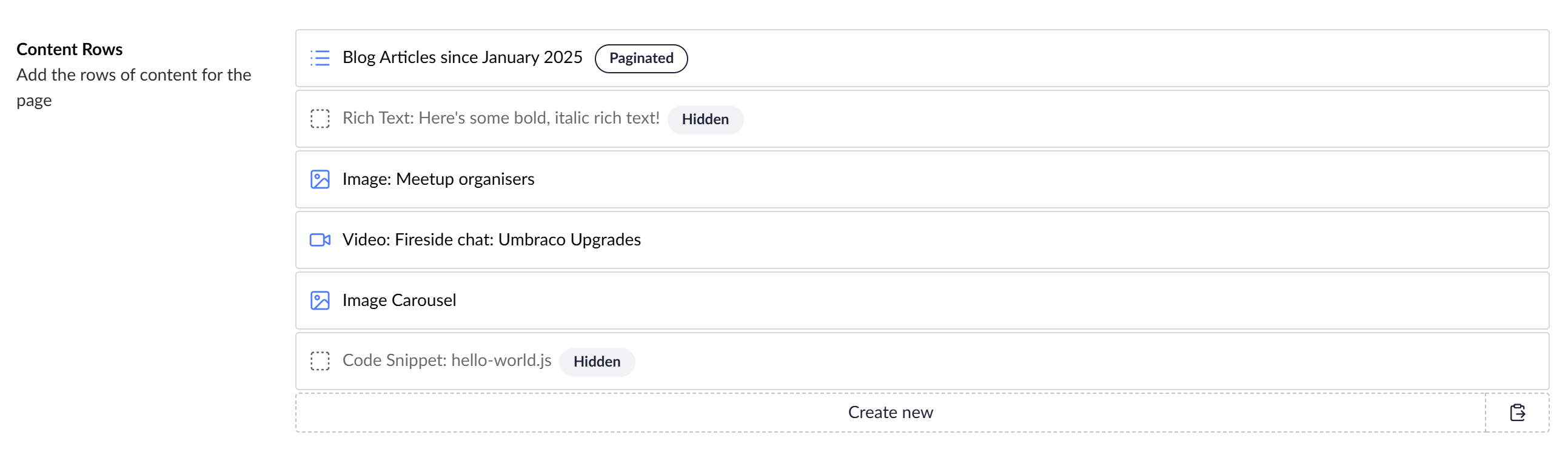
In this post I'll be using the example of showing a little tag to indicate a block is hidden. I'm using the familiar pattern used by Clean Starter Kit of having ahidden setting on each block. Rather than rendering the text "[HIDDEN]" in each block template I'd like this to automatically appear for all blocks. Here's a mockup I made in Paint of what we're aiming for here.
Registering the extension
Add a manifest to your manifests file:
export const manifests: Array<UmbExtensionManifest> = [
  // ...
  {
    // extension type is `blockEditorCustomView`
    type: 'blockEditorCustomView',
    alias: 'My.HiddenBlockEditorView',
    name: 'Hidden Block Editor View',
    // referencing a TS file for the element we want to use a the block view
    element: () => import('./hidden-block.element'),
    // specifying which block editor we're replacing the view for
    forBlockEditor: 'block-list'
  }
];
Creating the custom element
That referenced hidden-block.element.ts file looks like this:
import { html, customElement, LitElement, property, css, when } from '@umbraco-cms/backoffice/external/lit';
import { UmbElementMixin } from '@umbraco-cms/backoffice/element-api';
import type { UmbBlockDataType } from '@umbraco-cms/backoffice/block';
import type { UmbBlockEditorCustomViewElement, UmbBlockEditorCustomViewConfiguration } from '@umbraco-cms/backoffice/block-custom-view';

@customElement('hidden-block-custom-view')
// Extending the `UmbElementMixin` and implementing `UmbBlockEditorCustomViewElement`
export class HiddenBlockCustomView extends UmbElementMixin(LitElement) implements UmbBlockEditorCustomViewElement {

    // UmbRefListBlockElement is not exposed to extend it, so we have to copy a lot of it in to replace it:

    @property({ type: String, reflect: false })
    label?: string;
   // ...
   // Other properties copied from UmbRefListBlockElement
   // ...

    // This render method is largely copied from UmbRefListBlockElement, with some customisations to show hidden state
    override render() {
        const blockValue = { ...this.content, $settings: this.settings, $index: this.index };
        return html`
            <uui-ref-node standalone
        href=${(this.config?.showContentEdit ? this.config?.editContentPath : undefined) ?? ''}
        class="${this.settings?.hide ? 'hidden' : ''}">
            ${when(
                this.settings?.hide,
                () =>
                    html`<umb-icon slot="icon" name="icon-checkbox-dotted"></umb-icon>`,
                () =>
                    html`<umb-icon slot="icon" .name=${this.icon}></umb-icon>`
            )}
                <umb-ufm-render slot="name" inline .markdown=${this.label} .value=${blockValue}></umb-ufm-render>
                ${when(
                    this.unpublished,
                    () =>
                        html`<uui-tag slot="name" look="secondary" title=${this.localize.term('blockEditor_notExposedDescription')}
                                    ><umb-localize key="blockEditor_notExposedLabel"></umb-localize
                                ></uui-tag>`,
                )}
                ${when(
                    this.settings?.hide,
                    () =>
                        html`<uui-tag slot="name" look="secondary" title="Hidden"
                                >Hidden</umb-localize
                            ></uui-tag>`
                )}
            </uui-ref-node>
        `;
    }

    static override styles = [
        css`
            /* Copied styles from UmbRefListBlockElement and added custom styles /*
        `,
    ];
}
export default HiddenBlockCustomView;

declare global {
    interface HTMLElementTagNameMap {
        'hidden-block-custom-view': HiddenBlockCustomView;
    }
}
The full code sample is available on GitHub.
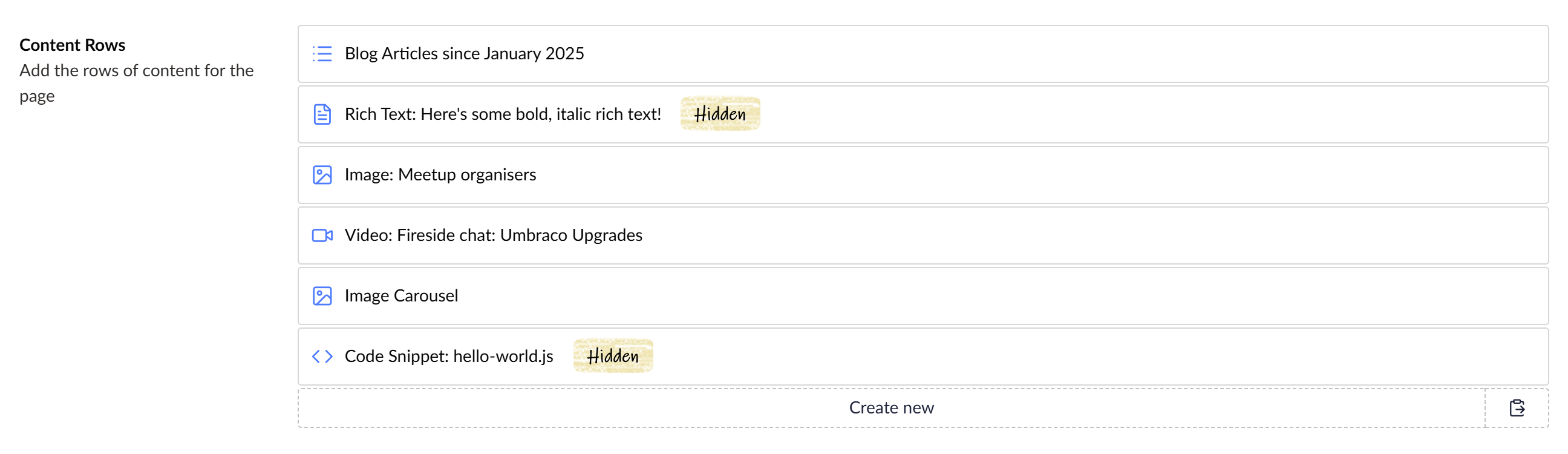
The new view!
With that in place, my block lists now look like this!